

How to Create Vivo Account In Vivo T2x 5G Mobile Phone | Vivo Account Kaise banaye ?

Hello friends, today I will tell you how to create a vivo account in vivo T2x 5g mobile phone through this blog post I will show you in a very easy way how to create a vivo account and tell you a little about the benefits of creating a vivo account. If you create a vivo account on your mobile phone and keep it logged in, if your mobile phone is ever lost or stolen, then no one can unlock your mobile phone very easily. For security, you have to create and log in this vivo account on your mobile phone, so let's show you the full process through this blog post.
Step 1: First turn on the mobile settings

Step 2: Now click on the sign-in-to-vivo-account option

Step 3: Now you will see two options. First register phone number, and second register with email ID.

Step 4: Now click on register option

Step 5: I am creating id using email id

Step 6: Now you have to give an email ID instead of an email ID and give a strong password instead of a password, then click on next option.

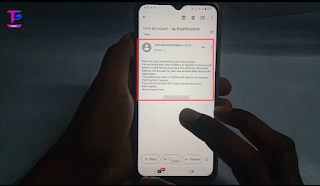
Step 7: Now copy the email ID you have used and paste it here in the verification code option, then click on the done option.

After the verification is complete, your vivo account will be successfully created.
Read More



0 Comments